
A Comprehensive Overview of Server Performance Tracking: Essential Indicators and Recommendations
Tracking server performance provides crucial insights into infrastructure functionality, enabling data-backed decisions for optimizing operations.
Monitoring your server performance plays a vital role in maintaining efficient and dependable infrastructure. By consistently tracking fundamental CPU, memory, storage, and network usage indicators across your servers, you gain valuable behind-the-scenes visibility into system operations.
This knowledge allows you to address issues before users experience problems, enhance resource allocation, and deliver technical assistance.
The Importance of Tracking Server Performance
Server performance tracking constitutes an essential component of ongoing server administration and is fundamental to ensuring optimal functionality of your servers and the applications they host. This monitoring approach involves recording, quantifying, and evaluating various metrics to recognize potential issues, maximize resource utilization, and prevent service interruptions.
Several key reasons highlight why server performance tracking is crucial in hosting management:
• Early issue identification. Ongoing monitoring of server operations enables detection of potential problems before they impact server users or hosted applications.
• Resource utilization enhancement. Performance tracking helps identify bottlenecks and underutilized components. This information enables optimizing resource distribution to ensure servers operate efficiently and applications meet their requirements.
• Infrastructure capacity forecasting. Monitoring information can help predict future capacity requirements. By examining time patterns and current hosting usage trends, you can plan server upgrades or infrastructure expansion to accommodate growth and prevent unexpected outages.
• Enhanced protection. By monitoring key security metrics, such as unauthorized access attempts or suspicious activities, you can quickly respond to potential threats.
• Expense reduction. By tracking server performance, you can avoid costly downtime and data loss. For instance, utilizing a VPS for small business can reduce certain server resources to lower expenses.
• Problem source identification. When issues occur, server performance tracking data helps quickly determine the root cause. This enables implementing effective solutions and preventing similar problems in the future.
VPS
Virtual private servers - efficient operation at a favorable price. Fast NVMe, more than 30 countries, managed and unmanaged VPS.
Watch plans
By tracking key indicators (CPU usage, memory consumption, disk I/O, network traffic, application response time, operational uptime and downtime, and error logs) and examining the collected information, you can gain valuable insight into your servers’ health and performance.
Essential Server Performance Tracking Indicators

These server metrics deliver valuable information about how server performance is assessed. While not exhaustive, this list includes fundamental metrics worth continuous monitoring.
Enhancing CPU productivity
CPU utilization measures the percentage of CPU resources consumed by the server. High CPU utilization may indicate resource limitations or performance weaknesses. Consistently operating the CPU at or near 100% suggests it’s time to upgrade the processor or add more servers to distribute the workload.
Assessing memory consumption
A server consistently running low on memory may experience performance issues or system failures. To address this, you can either increase the RAM installed on the server or optimize memory usage by limiting the number of active applications or services.
Storage I/O and disk devices
Disk I/O monitors read and write operations on storage components. High disk I/O levels may indicate poor storage performance or related issues. If disk I/O levels are elevated on a server, consider upgrading storage devices or optimizing disk usage by decreasing the number of simultaneous I/O operations.
Examining network data flow and patterns
Network traffic measures the volume of data sent to and from a server. Unusual patterns in network traffic may indicate security breaches or network congestion. Therefore, identifying the traffic source and taking appropriate measures to address potential security risks or network performance issues is essential.
Evaluating application responsiveness
Application response time refers to how long an application takes to respond to user requests. Slow response times may indicate application performance issues or insufficient server resources. Improving application code, upgrading server hardware, or expanding server infrastructure can help enhance response times.
Server availability and downtime
Tracking server availability and recording service interruptions is crucial for ensuring reliable service delivery. Maintaining high uptime is also essential to minimizing service disruptions.
Error record collection and examination
Error logs gather and analyze error messages generated by the server. They provide valuable insight into potential problems and help identify root causes. Regularly reviewing error logs and addressing any identified warnings is crucial.
Equipment physical condition and environment
To protect stationary servers from environmental hazards and damage, their physical condition must be monitored and maintained, with special attention to power supply and temperature.
Additionally, you can monitor website metrics, application statistics, or other data on your server. If you operate a distributed infrastructure, it’s important to pay attention to inter-server communication and regularly verify the ability to switch between hosting providers during unexpected events.
Recommended Practices for Performance Tracking

Managing servers in virtual environments, such as using a VPS, leasing dedicated servers in remote data centers, or working with cloud services, can be challenging because system administrators cannot physically inspect the hardware for issues. However, when servers are physically accessible to specialists, different challenges arise.
Therefore, equipment must be managed from both software and hardware perspectives. These guidelines for tracking server performance and health enable a more informed approach to server administration.
Establish a performance reference point
To monitor performance over time, create a baseline of normal operating ranges for key metrics. This provides a reference point for identifying deviations.
Analyze monitoring system data over a specific timeframe (e.g., a month or several weeks). Examine typical server daily patterns and variations during busier periods. Document average and peak CPU, memory, disk, and network usage. Also, record how software metrics such as response time and throughput fluctuate.
Share performance baselines with development and management teams.
Review the baseline periodically, such as every six months, as server loads and utilization change over time.
Monitor essential server and software metrics
The described metrics offer valuable insight into server performance and health. It’s crucial to monitor utilization trends approaching maximum capacity and application-specific metrics like query response time, error frequency, and database request duration. Correlating changes in these performance metrics with server resources can provide useful information.
To gather data about workload impact on databases and web servers, collect metrics such as connection numbers, request patterns, cache hit ratios, and queue length. Regular security audits should also be performed on the server.
Collect detailed minimum, maximum, and average data to analyze typical system ranges and identify outliers.
Deploy a performance tracking tool
Manual monitoring is tedious and error-prone. Automated server monitoring tools are essential for properly collecting and visualizing server metrics to track performance over time.
To implement this correctly, deploy collector agents or enable scraping on each server. You can customize displayed metrics using built-in integrations or custom scripts.
Server monitoring tools collect data and provide historical graphs, alerts, and reports. The monitoring dashboard offers a performance summary of the entire infrastructure in a single view.
A monitoring solution transforms raw data into useful information, enabling proactive maintenance by establishing baselines and detecting problems before they affect end-users.
Configure notifications and reports
General performance alerts alone provide insufficient context, so customization is necessary.
To improve alerts, customize them based on server role or application. This ensures appropriate people receive relevant alerts. Filters can focus only on critical information.
Identify anomalies beyond normal operating ranges instead of minor fluctuations. This eliminates excessive notifications that don’t provide problem information.
For example, CPU/memory utilization thresholds exceeded for 10 minutes, application errors increased by 50%, or server unavailability for 10 minutes.
Automating reporting with monitoring solutions is straightforward. You can schedule daily, weekly, or monthly reports summarizing usage, top performers, and anomalies for tracking.
Creating performance reports after specific periods is also recommended. This allows tracking server resource utilization during workflows and exceptional events.
Utilize monitoring data for planning
Performance monitoring data and reports help resolve problems and guide infrastructure planning based on empirical evidence. With new data available:
• Server hardware capacity planning.
• Software assessment.
• Scaling strategy decisions.
• Resource expansion budget justification.
• Quick response to recurring issues and system recovery.
Thus, monitoring data serves both daily operations and broader strategic planning.
Dedicated Server
The ideal solution for large-scale projects. Impeccable protection, high performance, and flexible settings.
Watch plans
Server Performance Monitoring Applications
Before selecting the most suitable solution from server performance monitoring applications, ensure it meets these parameters:
• The tool operates with minimal server resources.
• Its monitoring capabilities align with your defined server performance tracking areas.
• It is user-friendly and easy to implement, matching your needs and technical expertise.
• The tool includes alerting capabilities.
Testing certain server monitoring applications before fully implementing them into your systems and infrastructure may be beneficial.

Zabbix
Zabbix is freeware that monitors numerous network parameters and server status and integrity. Zabbix is written and distributed under the GPL General Public License version 2 (source code is freely distributed and available to the public).
Zabbix employs a flexible notification engine allowing users to set up email alerts for virtually any event and provides reporting and data visualization capabilities based on stored information.
Thanks to the web interface, network status and server health can be assessed from any location.
Zabbix offers:
• Automatic discovery of servers and network devices.
• Distributed monitoring with centralized WEB administration.
• Server software for Linux, Solaris, HP-UX, AIX, Free BSD, Open BSD, OS X.
• High-performance proprietary agents (client software for Linux, Solaris, HP-UX, AIX, Free BSD, Open BSD, OS X, Tru64/OSF1, Windows NT4.0, Windows 2000, Windows 2003, Windows XP, Windows Vista).
• Agentless monitoring.
• Secure user authentication.
• Flexible user access rights.
• Flexible e-mail notification of predefined events.
• High-level (business) view of monitored resources.
• Audit log.
Nagios
Nagios is an open-source IT system monitoring tool. It is designed to run on the Linux operating system and can monitor devices operating on Linux, Windows, and Unix operating systems. Nagios is available in a command line interface or a graphical web interface.
Nagios can monitor memory usage, disk usage, microprocessor utilization, number of running processes, and logs. It can also monitor services like Simple Mail Transfer Protocol, Post Office Protocol 3, Hypertext Transfer Protocol, and other standard network protocols.
Nagios can send email alerts when critical levels are reached based on defined parameters and thresholds.
Nagios can be configured with both agents and agentless options. Independent agents, such as Nagios Remote Data Processor (NRDP), Nagios Cross-Platform Agent, and NSClient++, can be installed on any hardware or software to collect data, which is then transmitted to the management server. Alternatively, agentless monitoring uses existing protocols to emulate the agent. Both approaches monitor file system utilization, OS metrics, and service and process health.
Datadog
Datadog is a SaaS (Software as a Service) platform that can be deployed on any system. It uses lightweight agents installed on servers and virtual machines to collect metrics and logs, which are then sent to the Datadog cloud platform. It supports a wide range of operating systems and applications.
Datadog collects predefined and custom performance metrics via statsd to monitor servers, containers, networks, databases, and other infrastructure components across physical, virtual, and cloud environments.
The Datadog platform offers customizable dashboards for visualizing metrics, events, logs, and traces to aid in troubleshooting and server performance analysis. Users can configure metric alerts and receive email notifications based on alert thresholds.
The tool provides machine learning-based services that minimize noise and false positives in fault detection systems.
New Relic
New Relic is a web-based SaaS solution that monitors the entire stack, including applications, infrastructure, web browsers, and other components on a single platform.
New Relic offers:
• Application performance monitoring with deep insight into transactions, errors, throughput, etc., across web, mobile, and distributed applications.
• Tracking server metrics such as CPU, memory, disk usage, load averages, processes, etc., across physical, virtual, and cloud hosts.
• Capturing real user monitoring data directly from browsers to see real user experience.
• Detection and diagnosis of application errors and exceptions using stack tracing.
• Dashboards to visualize application performance, transactions, errors, servers, etc.
• Setting up alerts using custom metrics and attributes with the ability to send email notifications.
• Tracking AWS, Azure, GCP, and database resources with integrations.
• Distribution requests across servers for microservice architectures.
Observium
Observium is an open-source network monitoring and management platform that provides comprehensive visibility into your network infrastructure. It collects and analyzes data from a wide range of devices, including servers, routers, switches, and other network equipment, using a combination of SNMP polling, SSH access, and agent-based monitoring.
Observium automatically detects devices on your network and adds them to your monitoring system. It supports various devices from various manufacturers, including Cisco, HP, Dell, Juniper, and others. It continuously monitors devices to collect real-time server performance data, such as CPU utilization, memory usage, disk I/O, and network traffic.
Observium offers customizable dashboards for creating personalized status and server performance reviews.
Observium allows configuring alerts and notifications for exceeding thresholds or specific events. Additionally, it offers reporting capabilities for device performance, traffic statistics, and other metrics.
Observium has a plugin architecture that enables you to expand its functionality and provide support for more devices or protocols.
Implementing a Server Performance Tracking Strategy
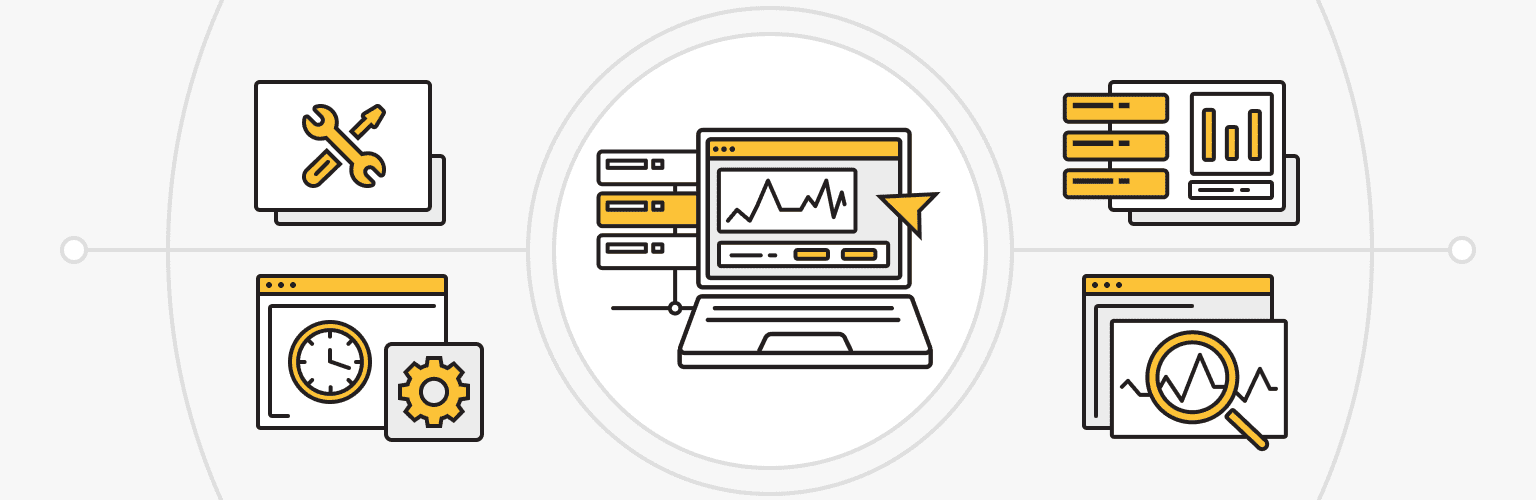
Here are the fundamental steps to implement an effective server performance tracking strategy:
• Select a monitoring tool. Choose a solution to gather the performance metrics needed from your servers and applications.
• Install monitoring agents. Deploy monitoring agents on each server you want to track. Agent-based tools typically involve installing lightweight software, while agentless options collect data from exported statistics.
• Identify metrics to collect. Determine which server performance metrics are most relevant for your infrastructure, such as CPU, memory, disk, and network utilization. Application-specific metrics are also important.
• Set collection intervals. Configure how frequently metrics are collected (for example, every 1-5 minutes for high-level system statistics).
• Set up alerts. Establish thresholds for metrics that will trigger alerts via email or other channels when exceeded.
• Connect monitoring with existing tools. Link your monitoring platform to logging, configuration management, and ticketing tools for improved control and automation.
• Review server performance data daily. Check your dashboards regularly to analyze trends and establish performance baselines over time. This way, you’ll quickly spot anomalies using temporal comparisons.
• Automate troubleshooting when possible. When recurring issues occur, consider automating notifications or responses using your preferred monitoring platform.
Regularly analyze performance data and make necessary adjustments to server settings, application configurations, or infrastructure components to improve performance. Upgrade solutions if they don’t deliver the required performance improvements.
Implement a comprehensive server performance tracking strategy to proactively identify and address performance issues, optimize resource utilization, and ensure the reliability and efficiency of your IT infrastructure. This will ultimately enhance user experience and prevent downtime.
Summary
In conclusion, a robust server performance tracking strategy is essential to maintain any server infrastructure’s efficiency, reliability, and security. Understanding the appropriate metrics, applying suitable monitoring tools, and following best practices can address potential problems before they become critical.
Server performance tracking metrics should be selected based on the needs and goals of the server administrator and applications. They should focus on critical metrics like resource utilization, response time, and error rates.
Automation with server monitoring tools and machine learning technologies can simplify monitoring and provide predictive maintenance, minimizing downtime and optimizing resource allocation.
Regularly review and update your monitoring strategy to adapt to changing environments, technologies, and application requirements.